Live online Generative AI classes for kids
Build Real Generative AI Products from Scratch to Advanced
Module 1: Foundations of Generative AI and LLM Engineering
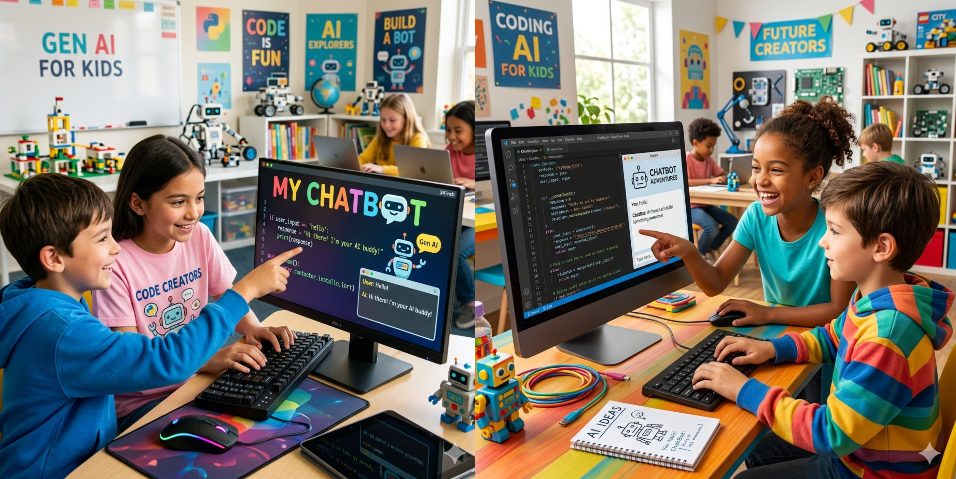
In this course, get started with the absolute basics of Generative AI and learn how AI creates text, images, and ideas through fun activities, simple tools, and creative challenges.
[Total no.of classes: 32
Recommend: two classes per week]
Please Note:
1. After each class the student will be given few simple and easy homework assignments so that the student doesn’t loose continuity between classes.
2. The number of classes can go more than the said number depending on student’s pace. No charges for those extra classes.
3. The student will continue to get mentorship in this subject for lifelong even after the completion of the course.
Class 1: Introduction to Generative AI, overview of Large Language Models (LLMs), how modern AI systems generate text, and the roadmap for the course.
Class activity: AI opportunity map – Students list five real-world situations where Generative AI could be useful and explain how an LLM might help solve them.
Class 2: Running your first LLM locally using Ollama and open-source models.
Class activity: Local LLM experiment – Run an open-source model with Ollama and ask it a few questions to observe how responses are generated.
Class 3: Spanish Tutor demo using open-source models and understanding how LLM applications work.
Class activity: AI language tutor – Use an LLM to translate and correct five sentences to see how the model behaves like a tutor.
Class 4: Setting up the LLM development environment with Visual Studio Code and UV.
Class activity: Development setup – Install Visual Studio Code and open the course project folder to prepare the coding workspace.
Class 5: Installing Git and preparing the development environment for AI projects.
Class activity: Git repository practice – Clone the project repository and explore the files used in the course.
Class 6: Installing UV and creating Python environments for LLM development.
Class activity: Python environment setup – Create a Python environment and install the required packages for running LLM code.
Class 7: Setting up OpenAI API keys and configuring environment variables.
Class activity: API configuration – Add the OpenAI API key to environment variables and test if the program can read it.
Class 8: Installing useful extensions in Visual Studio Code and setting up Jupyter Notebook.
Class activity: Notebook setup – Create a Jupyter notebook and run a simple Python cell to verify the environment.
Class 9: Running the first OpenAI API call and understanding system prompts vs user prompts.
Class activity: First AI prompt – Write a Python script that sends a prompt to OpenAI and prints the generated response.
Class 10: Understanding the OpenAI Chat Completions API and prompt structure.
Class activity: Prompt variation test – Send three differently written prompts and observe how the responses change.
Class 11: Building a simple website summarizer using the OpenAI Chat Completions API.
Class activity: AI summarizer – Provide a long article and generate a short summary using an LLM.
Class 12: Writing an OpenAI API call from scratch using Python.
Class activity: Independent coding challenge – Write the full API request code without using a template.
Class 13: LLM Engineering building blocks, models, prompts, tools, and workflows.
Class activity: AI workflow sketch – Draw a simple pipeline showing how user input flows through an LLM application.
Class 14: Frontier models overview, OpenAI GPT, Claude, Gemini, and Grok.
Class activity: Model comparison – Ask the same question to two frontier models and compare their responses.
Class 15: Open-source LLM ecosystem, LLaMA, Mistral, DeepSeek, and Ollama.
Class activity: Open-source exploration – Research one open-source LLM and explain where it can be used.
Class 16: Chat Completions API, HTTP endpoints vs OpenAI Python client.
Class activity: API method test – Send prompts using both HTTP requests and the Python client.
Class 17: Using the OpenAI Python client with multiple LLM providers.
Class activity: Multi-model script – Write a program that sends prompts to two different models.
Class 18: Running Ollama locally with OpenAI-compatible endpoints.
Class activity: Local vs cloud test – Send the same prompt to a local model and a cloud model and compare responses.
Class 19: Types of LLMs, Base models, Chat models, and Reasoning models.
Class activity: Model type experiment – Run prompts that require reasoning and observe how different models respond.
Class 20: Testing frontier models through web interfaces and research tools.
Class activity: AI evaluation session – Ask three AI systems the same research question and analyze the answers.
Class 21: Introduction to Agentic AI concepts and how modern AI tools perform tasks.
Class activity: Agent idea design – Design a simple AI assistant that could automate a small daily task.
Class 22: Frontier models showdown and building a simple LLM comparison game.
Class activity: Model challenge – Run a creative prompt across multiple models and compare which performs best.
Class 23: Understanding Transformers and the architecture behind GPT and modern LLMs.
Class activity: Transformer sketch – Draw a simplified diagram explaining how transformers process text.
Class 24: From LSTMs to Transformers, attention mechanism and emergent intelligence.
Class activity: Attention example – Highlight key words in a sentence that a transformer might focus on.
Class 25: Model parameters and scaling from millions to trillions in GPT, LLaMA, and DeepSeek.
Class activity: Parameter comparison – Compare parameter counts of several models and discuss their impact.
Class 26: What tokens are and how LLMs process text as tokens.
Class activity: Token counting – Use a tokenizer to count tokens in different sentences.
Class 27: Understanding tokenization and how GPT splits text into tokens.
Class activity: Token experiment – Tokenize different paragraphs and observe token differences.
Class 28: Tokenizing with tiktoken and understanding the illusion of memory in LLMs.
Class activity: Context experiment – Ask follow-up questions to see how models maintain conversational context.
Class 29: Context windows, token limits, and API cost considerations.
Class activity: Token budget exercise – Estimate token usage for processing a long document.
Class 30: Building a sales brochure generator with the OpenAI Chat Completions API.
Class activity: AI marketing generator – Generate a short sales brochure using a product description.
Class 31: JSON prompts and chaining GPT calls together.
Class activity: Prompt chaining – Build a small workflow where one GPT output becomes the input for another call.
Class 32: Business applications of LLMs and building a simple AI tutor prototype.
Class activity: AI tutor mini project – Build a basic AI tutor that answers questions about a specific topic using prompts
Module 2: Build AI Applications and Assistants
In this module, student will use the basics learnt in Module 1 create AI powered applications, chatbots and some cool products
[Total no.of classes: 32
Recommend: two classes per week]
Please Note:
1. After each class, student will be given few simple, easy homework assignments so that he/she doesn’t loose continuity between classes.
2. The number of classes can go more than the said number depending on student’s pace. No charges for those extra classes.
3. The student will continue to get mentorship in this subject for lifelong even after the completion of the course.
Class 1: Smart Homework Helper – Build a helpful assistant that can answer questions by searching through a small knowledge library before replying.
Concepts: Retrieval Augmented Generation (RAG), knowledge grounding, context retrieval.
Class 2: Magic Dictionary Finder – Create a mini assistant that quickly finds meanings and answers by looking through a digital dictionary.
Concepts: RAG fundamentals, lookup retrieval, prompt context injection.
Class 3: Meaning Match Game – Build a tool that checks how similar two sentences are based on their meaning.
Concepts: Vector embeddings, encoder models, semantic similarity.
Class 4: Super Smart Search Tool – Create a program that finds the most relevant document from a collection based on a question.
Concepts: Embeddings, cosine similarity, semantic search.
Class 5: Big Book Splitter – Build a system that breaks large documents into smaller pieces so an AI can understand them better.
Concepts: Text chunking, context windows, pre-processing for RAG.
Class 6: Knowledge Treasure Chest – Store information in a searchable system so the AI can retrieve useful facts quickly.
Concepts: Vector databases, Chroma DB, embedding storage.
Class 7: Thought Map Explorer – Create a visual map showing how different ideas and sentences are connected.
Concepts: Embedding visualization, t-SNE, vector representation.
Class 8: Smart Answer Machine – Build a system that searches for information and then uses it to generate accurate answers.
Concepts: RAG pipeline, retrievers, LLM integration.
Class 9: Friendly Study Chatbot – Create a chatbot that answers questions using a collection of study materials.
Concepts: Conversational RAG, context injection, knowledge assistants.
Class 10: Memory Chat Buddy – Improve the chatbot so it remembers earlier parts of the conversation.
Concepts: conversational context, history tracking, RAG with memory.
Class 11: Answer Quality Checker – Build a tool that measures how well your AI assistant finds the right information.
Concepts: retrieval evaluation, accuracy measurement, test datasets.
Class 12: AI Judge – Create a system where another AI checks whether the answers given are correct and helpful.
Concepts: LLM evaluation, automated grading, structured outputs.
Class 13: Accuracy Scoreboard – Build a system that tracks how well your AI assistant retrieves the correct information.
Concepts: MRR, n-DCG, evaluation metrics.
Class 14: Puzzle Piece Text Builder – Experiment with different ways of splitting documents to improve AI answers.
Concepts: chunk size optimization, document segmentation.
Class 15: Smart Question Expander – Build a system that improves questions by adding related words to find better answers.
Concepts: query expansion, prompt rewriting, semantic retrieval.
Class 16: Best Answer Finder – Improve the system by ranking answers so the most useful one appears first.
Concepts: re-ranking models, retrieval optimization.
Class 17: Ultimate Study Assistant – Build a full assistant that can search knowledge and generate helpful responses.
Concepts: production RAG architecture, modular pipelines.
Class 18: Data Treasure Collector – Gather and organize useful data that will be used to train smarter AI systems.
Concepts: dataset collection, data curation, preprocessing.
Class 19: Data Cleanup Lab – Build a system that removes duplicate or messy data to improve training quality.
Concepts: dataset cleaning, distribution analysis.
Class 20: Super Fast Question Machine – Create a program that can process thousands of questions automatically.
Concepts: batch processing, JSONL workflows, large-scale LLM calls.
Class 21: Prediction Starter Model – Build a simple model that predicts results using traditional machine learning.
Concepts: baseline models, scikit-learn, evaluation.
Class 22: Brainy Prediction Machine – Train a neural network that learns patterns and makes predictions.
Concepts: neural networks, PyTorch, model training.
Class 23: AI Battle Arena – Compare predictions from different AI models to see which performs better.
Concepts: model benchmarking, performance comparison.
Class 24: Custom Smart AI – Train an AI model using your own dataset to improve its performance.
Concepts: supervised fine-tuning, training jobs, custom models.
Class 25: Tiny Trainer Upgrade – Prepare an open-source AI model for efficient training with fewer resources.
Concepts: QLoRA, quantization, LoRA adapters.
Class 26: Skill Booster Add-On – Train a special add-on that improves a model’s abilities without retraining the whole model.
Concepts: LoRA, parameter-efficient training, adapters.
Class 27: AI Training Lab – Experiment with different training settings to see how they affect results.
Concepts: hyperparameters, optimization, training configuration.
Class 28: Training Control Room – Monitor the progress of your AI model while it is learning.
Concepts: experiment tracking, training monitoring, Weights & Biases.
Class 29: Smart Model Test Drive – Compare the performance of your trained model with the original version.
Concepts: inference testing, model evaluation.
Class 30: Helpful Task Robot – Build an AI assistant that can perform tasks step by step using tools.
Concepts: agentic AI, tool calling, agent workflows.
Class 31: Multi-Tool Super Assistant – Extend the assistant so it can use several tools to solve bigger problems.
Concepts: tool orchestration, agent loops, multi-step reasoning.
Class 32: Ultimate AI Super System – Build a powerful assistant that combines knowledge search, trained models, and automated tools to solve complex tasks.
Concepts: agent architectures, AI systems design, end-to-end AI workflows.
My Gen AI Expertise
Gen AI development: Building applications using large language models for chatbots, automation, and real-world problem solving.
Prompt engineering: Designing effective prompts to get accurate, structured, and high-quality outputs from AI models
AI Integration: Connecting Gen AI with APIs, web apps, and workflows to create scalable and practical solutions
Learner Feedback
Learner: Henry | Age 14 | England
Rating (5 star): ⭐⭐⭐⭐⭐
“Honestly, I wasn’t sure how much my child would understand at first, but I’ve been pleasantly surprised. The classes are explained in such a simple way that they actually get it. Now they keep talking about AI at home and even try out small ideas on their own. “
Learner: Mark Antony | Age 15 | England
Rating (5 star): ⭐⭐⭐⭐⭐
“I am very happy with how the GenAI class is going. My child looks forward to every session. The teaching style is very friendly and practical, which helps kids learn faster.”
Why Gen AI ?
Builds Creative Thinking and Problem-Solving: JLearning GenAI early helps kids become creators, not just users of technology. They start understanding how AI works, which improves their thinking, creativity, and problem-solving. It also teaches them how to ask better questions and turn ideas into real things like stories or images..
Get Ready for the future: It also gives them a strong advantage for the future. As AI is growing everywhere, kids who learn it early feel more confident and comfortable using new tools. They adapt faster and learn to use technology in a smart and responsible way.